Skip to content
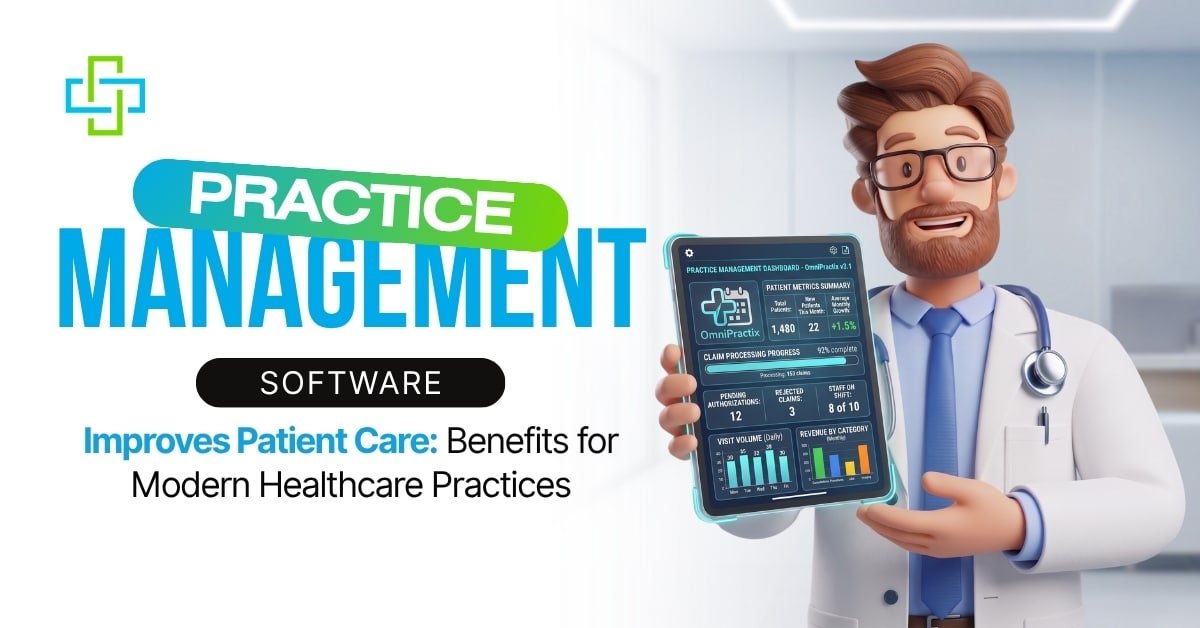
Patient care doesn’t start when a provider walks into the exam room. It starts with how quickly the phone is answered, whether the appointment reminder went out on time, and whether the front desk has the correct insurance information on file. Most of what shapes a patient’s experience happens before anyone puts on a stethoscope, and that’s the part practice management software is built to handle.
Understanding how practice management software improves patient care helps explain why administrative efficiency has become just as important as clinical expertise. Clinics that run on outdated scheduling systems, disconnected billing tools, and paper charts end up passing that disorganization on to patients, whether they mean to or not.
A missed reminder becomes a missed appointment. A billing error becomes a confusing statement three months later. A record that didn’t get updated becomes a provider asking a patient the same questions twice. None of it is intentional, but it adds up, and over time it shapes whether patients trust a practice enough to stick with it.
What Practice Management Software Does?
Before looking at features, it’s helpful to understand how practice management software improves patient care across every stage of the patient journey. At a base level, this software connects scheduling, billing and patient records into one system instead of three separate ones. Staff can see the same information at the same time. This cuts down on the kind of errors that come from working off outdated or incomplete data.
Scheduling and Reminders
Manual scheduling means someone on staff is calling patients to confirm appointments, tracking cancellations by hand, and hoping the calendar is accurate. Automated scheduling removes most of that. Patients get a text or email reminder, confirm with one tap, and reschedule online if they need to.
Some advanced systems can identify patients who are more likely to miss appointments and automatically send additional reminders. This lowers the missed appointment rate, which means more open slots get filled and fewer provider hours go unused. This is one practical example of how practice management software improves patient care through better appointment management.
Billing and Insurance Claims
Billing is where a lot of patient trust gets lost. Insurance eligibility has to be checked before the visit, procedure codes have to match what was done during the appointment, and denied claims have to be corrected and resubmitted, often more than once.
Many practice management systems automatically verify insurance eligibility, include claim-scrubbing tools that flag coding errors before claims are submitted, and shorten the time between a visit and payment. For the patient, this means a bill that matches what they were told at checkout instead of a surprise statement weeks later. Clear billing processes are another example of how practice management software improves patient care in everyday practice.
Records and Compliance
When patient history, medications, and allergy information live in one connected chart, every provider who opens that file sees the same, current information. This reduces duplicate testing, catches potential drug interactions earlier, and helps support HIPAA compliance by maintaining secure, organized patient records when properly configured and used.
It also cuts down on the awkward moments where a patient has to repeat their own medical history to three different staff members in the same visit. This happens more often than most clinics would like to admit. Accurate records demonstrate how practice management software improves patient care while supporting safer clinical decisions.
How Practice Management Software Improves Patient Care?
The examples below show how practice management software improves patient care in ways patients notice during every interaction. The administrative improvements above aren’t separate from patient care. They’re the reason patient care improves in the first place. Shorter wait times, accurate billing, and complete records aren’t side benefits of good software. They’re what the software is for.
A few solid examples of how this plays out.
- A patient sends a portal message after office hours, allowing staff to respond promptly the next business day.
- A provider may open a chart that already reflects a recent medication change when the practice uses integrated electronic records.
- A patient recovering from a procedure gets a reminder about a follow up appointment before it’s easy to forget.
- Some systems provide estimated patient costs before the visit.
None of this requires a patient to understand what software is running in the background. What they notice is that the visit went smoothly and that the practice seemed to have its process together.
Patient Engagement Tools That Change the Experience
Patient engagement tools are the parts of this software that patients interact with directly. This includes online portals, secure messaging, digital intake forms, and self scheduling. These tools have changed what patients expect from a provider’s office.
A capable patient portal allows people to handle several things without a phone call.
- Book, cancel, or move an appointment at any hour
- Send a routine, non emergency question to a provider
- View lab results once they’re released by the provider
- Complete intake paperwork before arriving
- Request a prescription refill without waiting on hold
Patients who use these tools tend to stay more engaged in their own care. Someone who can review their lab history over time asks more informed questions and follows through on treatment plans more consistently. That kind of engagement is a direct result of the tools being available and easy to use, not something that just happens out of the blue.
Practice Management Services vs. Software
Purchasing software is only the first step. Getting value from it depends on how well it’s set up, how well staff are trained on it, and whether someone keeps it updated as billing rules and regulations change. This is where practice management services come in.
A clinic can license a fully capable system and still see little return on it if staff were never trained properly, if billing rules were configured incorrectly, or if updates were skipped. Many practices end up paying for features they never use because no one had time to learn the system past the basics. Practice management services address this with staff training, billing audits, and ongoing technical support. This matters most for a small or midsize practice without a dedicated IT department. Proper implementation is a major factor in determining how practice management software improves patient care over the long term.
Why Patient Engagement Services Matter Beyond the Portal?
A portal that patients don’t use is of no value, regardless of how well built it is. Patient engagement services address this directly by setting up recall campaigns for patients overdue on screenings. Also by writing messages patients are more likely to read and respond to, and tracking which patients are falling out of contact with their care team.
Practices that invest in this side of engagement often see stronger follow through on preventive care and fewer patients who quietly stop coming in. Software alone doesn’t create that outcome. Consistent use of it does. Consistent engagement reinforces how practice management software improves patient care by helping patients stay connected with their providers.
Choosing the Right System for Your Practice
Choosing software based on the longest feature list is a common mistake. A large multi provider group and a two person family practice have different needs, and a system built for one will not necessarily work well for the other. Vendors are aware of this and will often present every available feature as essential. This makes it harder to tell what a practice needs day to day versus what sounds impressive in a sales call.
Before signing a contract, a few questions are worth answering.
- Does the system integrate with the existing electronic health record platform, or will staff be working across two disconnected tools?
- Is the patient portal simple enough for patients across a wide range of ages and technology comfort levels to use without frustration?
- How quickly does the vendor respond when a technical issue comes up during business hours?
- Is staff training included in the cost, or billed separately?
- Will the system scale if the practice adds providers or a second location?
Skipping this step tends to cost more later, both in subscription fees spent on unused features and in staff time spent working around a system that was never the right fit. Choosing the right platform directly affects how practice management software improves patient care for both patients and providers.
The Ending Note
Prime Well Med Solutions works with healthcare practices that want their administrative operations to run as well as their clinical care does. In addition to MIPS reporting and medical billing, the team helps practices select, implement, and get consistent use out of practice management software. This includes the patient engagement tools that keep patients connected between visits.
Staff training, billing audits, and ongoing support are part of that work, so a practice isn’t left to figure out a new system through trial and error. The objective is straightforward. Handle the scheduling, billing, and compliance work so providers can focus their attention on the patient in front of them.
None of this matters for a patient directly. What matters is a phone that gets answered, a bill that makes sense, and a visit that isn’t unnecessarily dragged. That combination, more than any single feature, is what keeps patients returning to a practice. That’s ultimately how practice management software improves patient care in today’s healthcare environment.