Skip to content
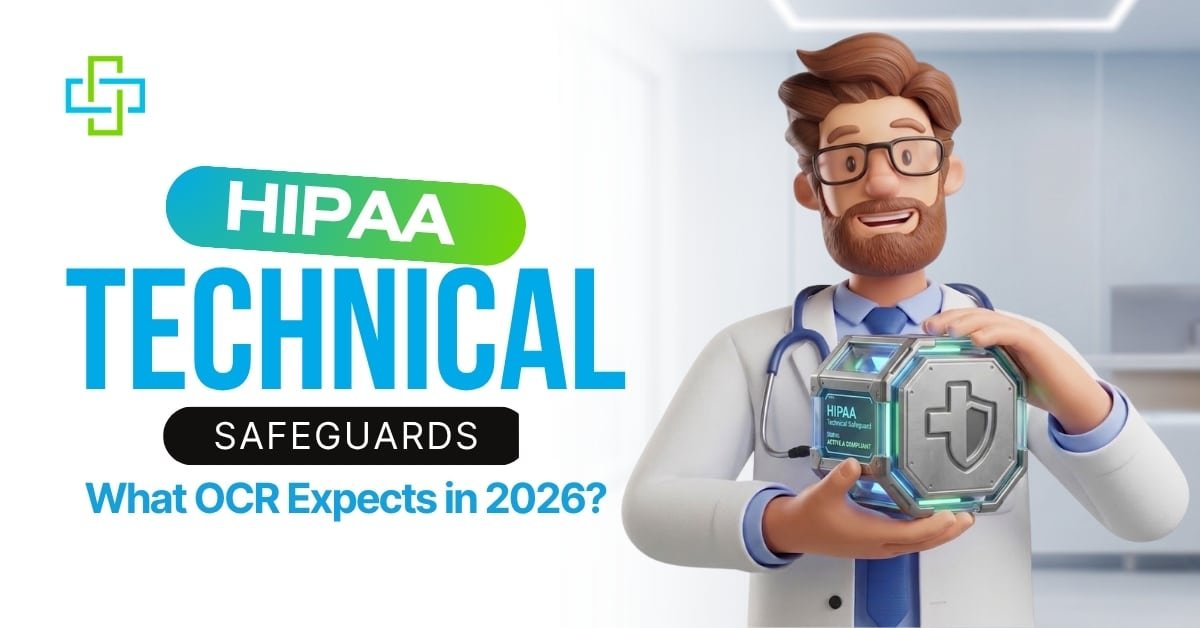
Healthcare organizations face tighter scrutiny over how they protect patient data. The Security Rule itself has not changed, but OCR’s enforcement posture has. HIPAA technical safeguards — access controls, audit controls, encryption, and authentication — are now a central focus of how OCR evaluates whether a practice is protecting ePHI.
At Prime Well Med Solutions, we work with healthcare providers who want to stay compliant without getting buried in technical language. Here is what the current rules require.
Rule status as of 2026
- The Security Rule in force today is the existing rule. It has not been amended.
- HHS published a Notice of Proposed Rulemaking on January 6, 2025 (90 FR 898). The comment period closed March 7, 2025.
- The proposal is not final. HHS has moved it to its Long-Term Actions agenda with a July 2027 target for final action (RIN 0945-AA22). That date is a planning estimate, not a deadline.
- Over 100 hospital and provider groups have asked HHS to withdraw or scale back the proposal.
- Comply with the current rule. Prepare for the proposed one.
What the HIPAA Security Rule Requires Today?
The HIPAA Security Rule establishes the standards that covered entities and business associates must follow to protect ePHI. It applies to any health information your organization creates, stores, sends, or receives in electronic form. Three obligations run through every standard: you must preserve confidentiality, maintain integrity, and ensure availability of ePHI at all times.
A common misunderstanding is that all safeguards carry the same weight. They do not. Some are labeled required, meaning no alternatives are permitted. Others are addressable, meaning you may substitute an equally effective measure if you document your reasoning. Neither type is optional. Skipping an addressable safeguard without documentation and a substitute measure is a violation, just as skipping a required one would be.
The rule also recognizes that a small practice and a large hospital system work with different resources. Flexibility is built in based on your size, existing technology, and the cost of certain measures. That flexibility does not reduce your obligations. Every decision still needs to rest on a formal risk analysis and written documentation.
System Hardening and the January 2026 OCR Newsletter
The Office for Civil Rights released its January 2026 cybersecurity newsletter with a focus on system hardening. This is the process of reducing the number of entry points an attacker can use to reach your electronic systems. Fewer vulnerabilities mean fewer paths to ePHI.
System hardening falls into three areas, each tied to obligations under the HIPAA Security Rule updates.
Patching Is Not a One-Time Task
Unpatched software is one of the most reliable ways attackers get into healthcare systems. Operating systems, electronic health record platforms, databases, mobile apps, email clients, and even firmware on network routers and firewalls can all carry known vulnerabilities. Attackers look for them.
New vulnerabilities appear regularly, sometimes in software that was already patched, sometimes in the patches themselves. A vulnerability management program needs to run continuously, not just when someone remembers to schedule a scan. Helpful starting points include:
- Signing up for security alerts directly from your software vendors
- Monitoring the NIST National Vulnerability Database and CISA’s Known Exploited Vulnerabilities Catalog
- Running regular vulnerability scans or enrolling in CISA’s free Cyber Hygiene Services
- Participating in the Health Information Sharing and Analysis Center
When a patch has not been released yet, vendors usually suggest workarounds. Apply them and write down what you did and why. Legacy systems that will never receive another patch need compensating measures to account for the gap.
Removing Unused Software Closes Hidden Doors
Devices arrive preloaded with software that nobody requested and nobody uses. Games, messaging apps, manufacturer utilities, and social media tools often sit untouched but still carry vulnerabilities that can be exploited.
Removing that software is usually simple, but two steps get missed. The first is checking for accounts of the software created during installation. Many programs set up service accounts with elevated permissions and default passwords. If the software is removed but the account remains, and the default password was never changed, that account is still a potential entry point.
OCR has found this situation during investigations. Software had been uninstalled, but the accounts it created were still active, some with administrator access and widely known credentials. After any removal, verify that associated accounts have also been deleted.
Test changes in a separate environment before applying them to production systems. Removing the wrong feature can affect system stability or weaken your security posture in ways that are not obvious. The HIPAA Security Rule updates evaluation standard requires you to assess and document how any operational change affects your safeguards.
How System Hardening Maps to HIPAA Technical Safeguards?
Hardening a system also means turning on and properly setting the security features already included in your operating systems and software. This connects to several technical safeguard standards in the HIPAA Security Rule updates, including access controls, audit controls, encryption, and authentication.
Take multi-factor authentication. A risk analysis might show that password-only access to certain systems leaves ePHI inadequately protected. If the operating system does not support MFA natively, a third-party solution is needed. The risk analysis identifies the need, and the implementation gets documented.
Security baselines, meaning standardized sets of controls applied consistently across your devices, make this manageable at scale. Rather than configuring each machine separately, a baseline lets you push consistent settings across laptops, servers, smartphones, and workstations. Three resources that can help:
- NIST SP 800-53 provides broad security and privacy controls applicable to many organization types
- Microsoft’s Security Baseline packages offer version-specific settings for Windows systems
- DISA STIGs provide detailed configuration instructions for a wide range of operating systems and applications
None of these are ready to apply without review. A baseline built for a general enterprise may need adjustments before it works correctly in a clinical setting with medical devices or legacy equipment. Review what any baseline does before deploying it.
OCR Is Moving from Risk Analysis to Risk Management
The clearest signal in the January 2026 newsletter is about enforcement direction. OCR confirmed its risk analysis enforcement initiative will expand to cover risk management. Identifying a risk is no longer enough. Regulated entities are expected to show timely, documented action to reduce the risks their analysis uncovers.
OCR also tied system hardening directly to maintaining an accurate IT asset inventory. You cannot harden systems you have not accounted for. Medical devices are explicitly in scope, and OCR reminded entities to follow manufacturer security guidance across the full device lifecycle.
The Three Safeguard Categories
The Security Rule organizes requirements into three safeguard categories at §164.308, §164.310, and §164.312. Administrative, physical, and technical. Each one covers a different layer of protection, and all three have to work together. Gaps in any one category can undermine the others, no matter how well the remaining two are handled.
Administrative Safeguards
Policies, processes, and workforce management fall into the administrative category. Risk analysis lives here, and it is the area where OCR most often finds organizations falling short. Not always because analysis was skipped entirely, but because analyses were too shallow, conducted too rarely, or never tied to a remediation plan with follow-through.
A risk analysis should identify threats to ePHI, assess how likely and how damaging each one could be, and feed that information directly into a risk management plan. Security awareness training for staff also falls in this category. It cannot function as a once-a-year checkbox. Staff need working knowledge of phishing tactics, social engineering, password hygiene, and how to report something suspicious.
Physical Safeguards
Physical protection is frequently underestimated. These safeguards cover the hardware holding ePHI and the physical spaces where that hardware lives. Printers, scanners, fax machines, and removable media like USB drives all fall within scope, not just servers and workstations.
If staff access ePHI on personal devices, policies must address lost or stolen devices. Remote wipe capability, app restrictions, and clear acceptable-use rules are all part of that picture.
Technical Safeguards
The HIPAA technical safeguards at 45 CFR Section 164.312 serve two purposes. First, they make sure every person who interacts with ePHI can be identified and their activity recorded. Shared login credentials destroy that accountability. If two people use the same account, there is no way to determine who accessed what or when. Automatic log-off helps, but staff should log out manually rather than relying on it, especially in shared work areas.
Second, technical safeguards protect ePHI at rest and in transit. Most modern systems encrypt data by default, but that does not mean every gap is covered. Confirm what encryption is in use, where it applies, and whether data moving between systems with mismatched encryption types could be exposed.
Business Associates and the Compliance Chain
Security Rule compliance extends beyond your own organization. Every vendor or partner that handles ePHI on your behalf qualifies as a business associate. Billing companies, IT providers, cloud storage vendors, and transcription services all fall into that category. Each one needs a signed Business Associate Agreement that meets the standards in the HIPAA Privacy Rule and clearly defines permitted uses of ePHI.
Under 45 CFR §164.504(e)(1)(ii), if you know of a pattern of activity or practice by a business associate that constitutes a material breach of its agreement, you must take reasonable steps to cure the breach or end the violation. If that fails, you must terminate the agreement where feasible. Failing to act puts your organization in violation.
Monitoring your business associates matters. If a business associate passes ePHI to a subcontractor, that subcontractor also needs its own agreement. The chain of accountability must be documented end to end.
What Happens When Compliance Fails?
OCR and State Attorneys General can impose financial penalties. HIPAA itself gives patients no private right of action, but affected individuals can and do bring claims under state law, typically negligence, breach of contract, or state privacy statutes. Staff who knowingly access ePHI without authorization face internal sanctions, and OCR refers to potential criminal violations under 42 U.S.C. §1320d-6 to the Department of Justice.
The effects on patients reach further than most discussions acknowledge. A ransomware attack that disables your systems leaves patients unable to access care. Recovery can take weeks. When stolen ePHI is used for medical identity theft, a patient’s health record may be corrupted for years, affecting future diagnoses and treatment.
After a breach, patients lose confidence in their providers. They share less about their symptoms, follow treatment plans less consistently, and often seek care elsewhere. The clinical relationship suffers, and so do outcomes.
Workforce Training Under the Security Rule
A large share of healthcare breaches begin with human behavior rather than system failure. A phishing email that someone clicked, a password reused across multiple accounts, a session left open on a shared computer. These are the entry points attackers count on.
Ongoing training is the most reliable way to reduce that risk. Staff need to:
- Understand why passwords must be unique to each system and never shared
- Recognize phishing attempts, suspicious links, and social engineering tactics
- Log out of sessions actively rather than waiting for an automatic timeout
- Report anything that looks wrong without hesitation
Fast reporting gives your team a chance to contain a threat before it becomes a reportable breach.
Keeping Up with HIPAA Security Rule Updates
HIPAA Security Rule updates are not a milestone you reach and leave behind. Vulnerabilities change. Attackers refine their methods. Systems get replaced. New staff arrives. OCR’s 2026 cybersecurity guidance treats system hardening, patching, and security baselines as ongoing work, not completed projects.
For covered entities and business associates, the periodic review and modification of security measures is a regulatory requirement. Not a recommendation. A requirement.
At Prime Well Med Solutions, we help healthcare organizations put HIPAA technical safeguards in place and keep them working through technology changes, staff turnover, and shifting threats. If you want to know where your organization stands today, start with a thorough risk analysis.